(38) C:\Users\miss2\Desktop\so-vits-svc-4.1-Stable\so-vits-svc-4.1-Stable>pip install matplotlib
ERROR: Could not find a version that satisfies the requirement matplotlib (from versions: none)
ERROR: No matching distribution found for matplotlib
(38) C:\Users\miss2\Desktop\so-vits-svc-4.1-Stable\so-vits-svc-4.1-Stable>pip install faiss
ERROR: Could not find a version that satisfies the requirement faiss (from versions: none)
ERROR: No matching distribution found for faiss
(38) C:\Users\miss2\Desktop\so-vits-svc-4.1-Stable\so-vits-svc-4.1-Stable>pip install yaml
ERROR: Could not find a version that satisfies the requirement yaml (from versions: none)
ERROR: No matching distribution found for yaml
(38) C:\Users\miss2\Desktop\fairseq>pip install --editable ./ Obtaining file:///C:/Users/miss2/Desktop/fairseq Installing build dependencies ... done Checking if build backend supports build_editable ... done Getting requirements to build editable ... error error: subprocess-exited-with-error × Getting requirements to build editable did not run successfully. │ exit code: 1 ╰─> [17linesofoutput] Traceback (most recent call last): File "D:\anaconda\envs\38\lib\site-packages\pip\_vendor\pyproject_hooks\_in_process\_in_process.py", line 389, in <module> main() File "D:\anaconda\envs\38\lib\site-packages\pip\_vendor\pyproject_hooks\_in_process\_in_process.py", line 373, in main json_out["return_val"] = hook(**hook_input["kwargs"]) File "D:\anaconda\envs\38\lib\site-packages\pip\_vendor\pyproject_hooks\_in_process\_in_process.py", line 157, in get_requires_for_build_editable return hook(config_settings) File "C:\Users\miss2\AppData\Local\Temp\pip-build-env-hmxy_ij0\overlay\Lib\site-packages\setuptools\build_meta.py", line 473, in get_requires_for_build_editable return self.get_requires_for_build_wheel(config_settings) File "C:\Users\miss2\AppData\Local\Temp\pip-build-env-hmxy_ij0\overlay\Lib\site-packages\setuptools\build_meta.py", line 331, in get_requires_for_build_wheel return self._get_build_requires(config_settings, requirements=[]) File "C:\Users\miss2\AppData\Local\Temp\pip-build-env-hmxy_ij0\overlay\Lib\site-packages\setuptools\build_meta.py", line 301, in _get_build_requires self.run_setup() File "C:\Users\miss2\AppData\Local\Temp\pip-build-env-hmxy_ij0\overlay\Lib\site-packages\setuptools\build_meta.py", line 317, in run_setup exec(code, locals()) File "<string>", line 246, in <module> OSError: [WinError1314] 用戶端沒有這項特殊權限。: '..\\examples' -> 'fairseq\\examples' [endofoutput] note: This error originates from a subprocess, and is likely not a problem with pip. ERROR: Failed to build 'file:///C:/Users/miss2/Desktop/fairseq' when getting requirements to build editable
(38) C:\Users\miss2\Desktop\fairseq>pip install --editable ./ --no-deps Obtaining file:///C:/Users/miss2/Desktop/fairseq Installing build dependencies ... done Checking if build backend supports build_editable ... done Getting requirements to build editable ... done Preparing editable metadata (pyproject.toml) ... done Building wheels for collected packages: fairseq Building editable for fairseq (pyproject.toml) ... error error: subprocess-exited-with-error × Building editable for fairseq (pyproject.toml) did not run successfully. │ exit code: 1 ╰─> [37linesofoutput] C:\Users\miss2\AppData\Local\Temp\pip-build-env-91abdbrk\overlay\Lib\site-packages\setuptools\_distutils\[dist.py:289](http://dist.py:289/): UserWarning: Unknown distribution option: 'test_suite' warnings.warn(msg) C:\Users\miss2\AppData\Local\Temp\pip-build-env-91abdbrk\overlay\Lib\site-packages\setuptools\[dist.py:759](http://dist.py:759/): SetuptoolsDeprecationWarning: License classifiers are deprecated. !! ******************************************************************************** Please consider removing the following classifiers in favor of a SPDX license expression:
License :: OSI Approved :: MIT License
See <https://packaging.python.org/en/latest/guides/writing-pyproject-toml/#license> for details. ********************************************************************************
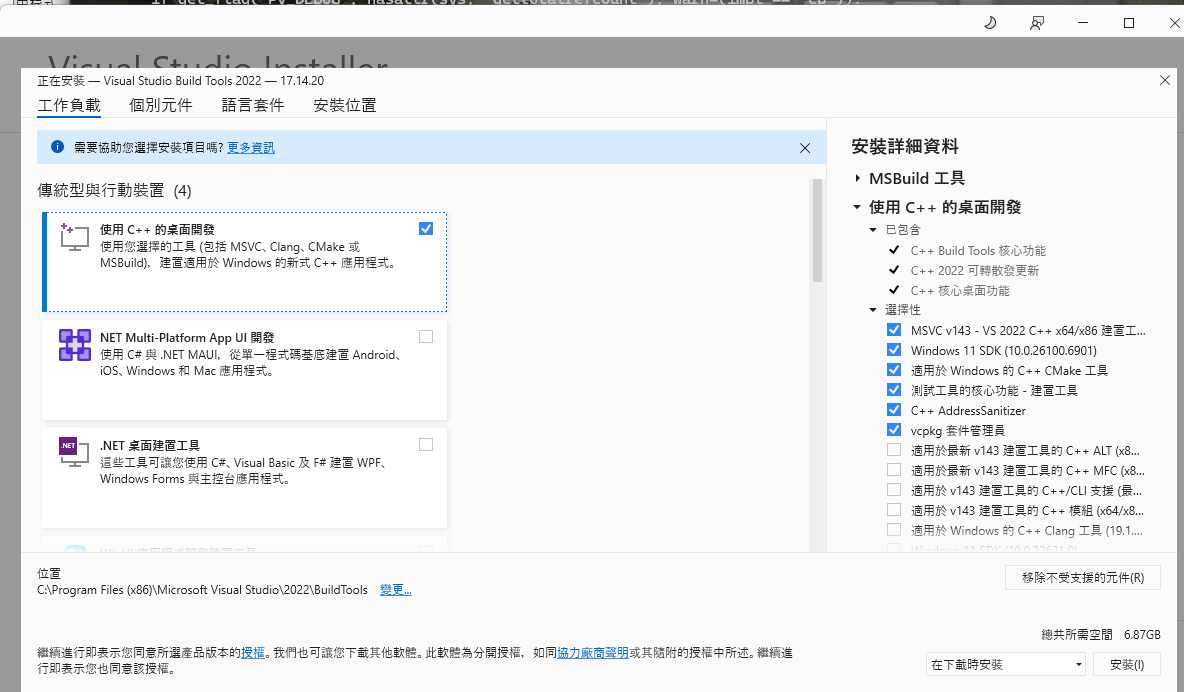
!! self._finalize_license_expression() running editable_wheel creating C:\\Users\\miss2\\AppData\\Local\\Temp\\pip-wheel-rgr7_co9\\.tmp-jg5ensi6\\fairseq.egg-info writing C:\\Users\\miss2\\AppData\\Local\\Temp\\pip-wheel-rgr7_co9\\.tmp-jg5ensi6\\fairseq.egg-info\\PKG-INFO writing dependency_links to C:\\Users\\miss2\\AppData\\Local\\Temp\\pip-wheel-rgr7_co9\\.tmp-jg5ensi6\\fairseq.egg-info\\dependency_links.txt writing entry points to C:\\Users\\miss2\\AppData\\Local\\Temp\\pip-wheel-rgr7_co9\\.tmp-jg5ensi6\\fairseq.egg-info\\entry_points.txt writing requirements to C:\\Users\\miss2\\AppData\\Local\\Temp\\pip-wheel-rgr7_co9\\.tmp-jg5ensi6\\fairseq.egg-info\\requires.txt writing top-level names to C:\\Users\\miss2\\AppData\\Local\\Temp\\pip-wheel-rgr7_co9\\.tmp-jg5ensi6\\fairseq.egg-info\\top_level.txt writing manifest file 'C:\\Users\\miss2\\AppData\\Local\\Temp\\pip-wheel-rgr7_co9\\.tmp-jg5ensi6\\fairseq.egg-info\\SOURCES.txt' W1115 14:44:57.26848314608 torch\\utils\\cpp_extension.py:615] Attempted to use ninja as the BuildExtension backend but we could not find ninja.. Falling back to using the slow distutils backend. reading manifest file 'C:\\Users\\miss2\\AppData\\Local\\Temp\\pip-wheel-rgr7_co9\\.tmp-jg5ensi6\\fairseq.egg-info\\SOURCES.txt' reading manifest template 'MANIFEST.in' adding license file 'LICENSE' writing manifest file 'C:\\Users\\miss2\\AppData\\Local\\Temp\\pip-wheel-rgr7_co9\\.tmp-jg5ensi6\\fairseq.egg-info\\SOURCES.txt' creating 'C:\\Users\\miss2\\AppData\\Local\\Temp\\pip-wheel-rgr7_co9\\.tmp-jg5ensi6\\fairseq-0.12.2.dist-info' C:\\Users\\miss2\\AppData\\Local\\Temp\\pip-build-env-91abdbrk\\overlay\\Lib\\site-packages\\setuptools\\command\\bdist_wheel.py:103: RuntimeWarning: Config variable 'Py_DEBUG' is unset, Python ABI tag may be incorrect if get_flag("Py_DEBUG", hasattr(sys, "gettotalrefcount"), warn=(impl == "cp")): creating C:\\Users\\miss2\\AppData\\Local\\Temp\\pip-wheel-rgr7_co9\\.tmp-jg5ensi6\\fairseq-0.12.2.dist-info\\WHEEL running build_py running build_ext W1115 14:44:57.37678914608 torch\\utils\\cpp_extension.py:466] Error checking compiler version for cl: [WinError2] 系統找不到指定的檔案。 building 'fairseq.libbleu' extension error: Microsoft Visual C++ 14.0 or greater is required. Get it with "Microsoft C++ Build Tools": <https://visualstudio.microsoft.com/visual-cpp-build-tools/> [endofoutput] note: This error originates from a subprocess, and is likely not a problem with pip. ERROR: Failed building editable for fairseq Failed to build fairseq ERROR: Could not build wheels for fairseq, which is required to install pyproject.toml-based projects
× python setup.py egg_info did not run successfully. │ exit code: 1 ╰─> [1linesofoutput] error in googleads setup command: use_2to3 is invalid. [endofoutput]
note: This error originates from a subprocess, and is likely not a problem with pip. error: metadata-generation-failed
× Encountered error while generating package metadata. ╰─> See above for output.
note: This is an issue with the package mentioned above, not pip. hint: See above for details.
[notice] A new release of pip is available: 24.0 -> 25.3 [notice] To update, run: python.exe -m pip install --upgrade pip
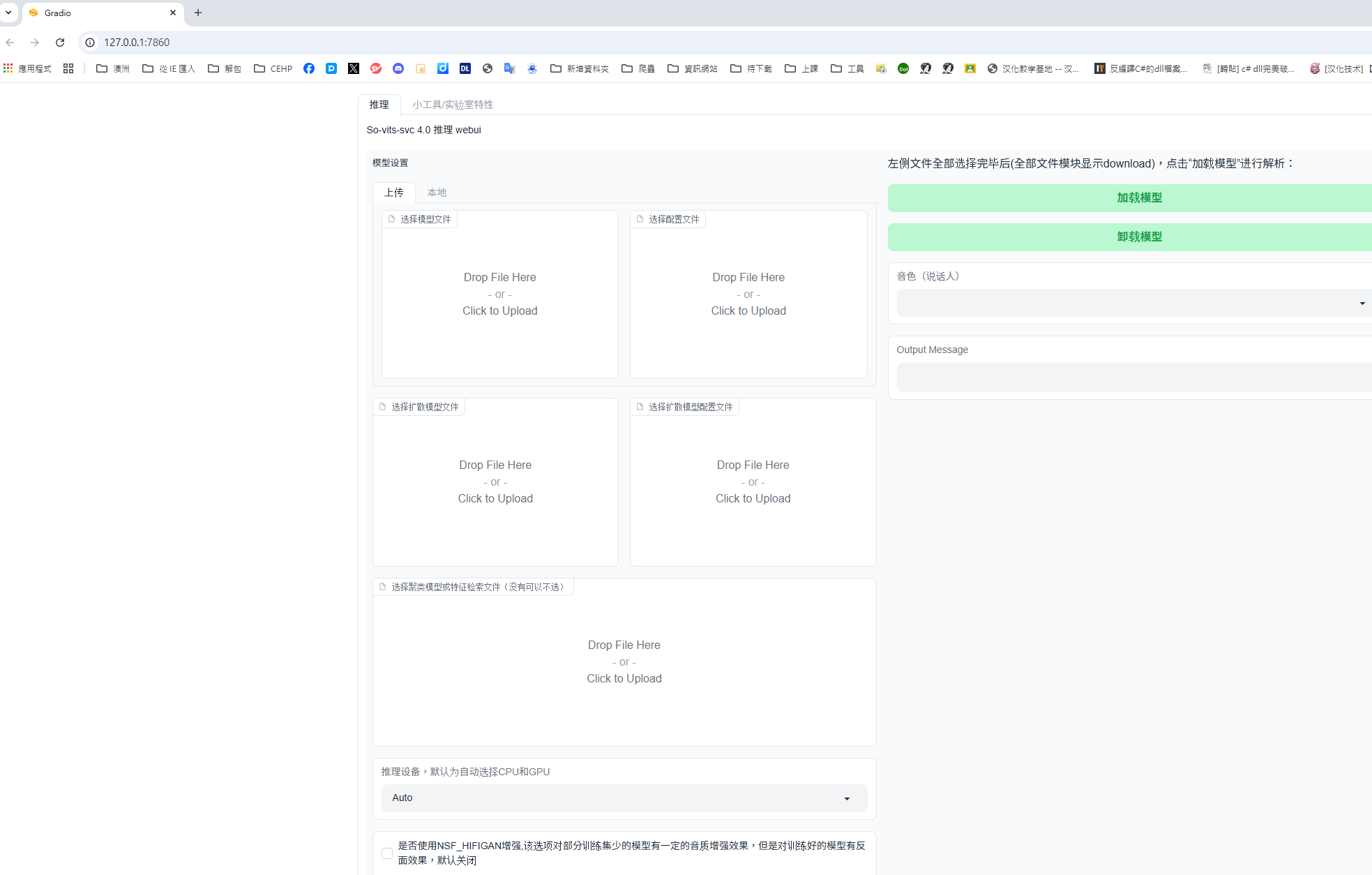
(38) C:\Users\miss2\Desktop\so-vits-svc-4.1-Stable\so-vits-svc-4.1-Stable>python webUI.py Traceback (most recent call last): File"C:\Users\miss2\Desktop\so-vits-svc-4.1-Stable\so-vits-svc-4.1-Stable\webUI.py", line 14, in <module> import gradio as gr ModuleNotFoundError: Nomodule named 'gradio'
(38) C:\Users\miss2\Desktop\so-vits-svc-4.1-Stable\so-vits-svc-4.1-Stable>python webUI.py Traceback (most recent call last): File"C:\Users\miss2\Desktop\so-vits-svc-4.1-Stable\so-vits-svc-4.1-Stable\webUI.py", line 14, in <module> import gradio as gr File"D:\anaconda\envs\38\lib\site-packages\gradio\__init__.py", line 3, in <module> import gradio._simple_templates File"D:\anaconda\envs\38\lib\site-packages\gradio\_simple_templates\__init__.py", line 1, in <module> from .simpledropdownimportSimpleDropdown File"D:\anaconda\envs\38\lib\site-packages\gradio\_simple_templates\simpledropdown.py", line 6, in <module> from gradio.components.baseimportComponent, FormComponent File"D:\anaconda\envs\38\lib\site-packages\gradio\components\__init__.py", line 1, in <module> from gradio.components.annotated_imageimportAnnotatedImage File"D:\anaconda\envs\38\lib\site-packages\gradio\components\annotated_image.py", line 14, in <module> from gradio.components.baseimportComponent File"D:\anaconda\envs\38\lib\site-packages\gradio\components\base.py", line 20, in <module> from gradio.blocksimportBlock, BlockContext File"D:\anaconda\envs\38\lib\site-packages\gradio\blocks.py", line 39, in <module> from gradio import ( File"D:\anaconda\envs\38\lib\site-packages\gradio\networking.py", line 15, in <module> from gradio.routesimportApp # HACK: to avoid circular import # noqa: F401 File"D:\anaconda\envs\38\lib\site-packages\gradio\routes.py", line 69, in <module> from gradio import ranged_response, route_utils, utils, wasm_utils File"D:\anaconda\envs\38\lib\site-packages\gradio\route_utils.py", line 53, in <module> from gradio.helpersimportEventData File"D:\anaconda\envs\38\lib\site-packages\gradio\helpers.py", line 26, in <module> from gradio import components, oauth, processing_utils, routes, utils, wasm_utils File"D:\anaconda\envs\38\lib\site-packages\gradio\oauth.py", line 13, in <module> from huggingface_hub importHfFolder, whoami ImportError: cannot import name 'HfFolder'from'huggingface_hub' (D:\anaconda\envs\38\lib\site-packages\huggingface_hub\__init__.py)